Cast Packs for Multi-Character AI Shoots
Save named bundles of LoRA and voice version pins in Wavemaker, apply them to workflow spec bindings in one step, and ship multi-role apps without rebinding every node.

Cast packs bundle up to twenty version-pinned LoRA and voice assets so multi-character workflows inherit default bindings in one apply step—after you train runnable weights, not instead of dataset and epoch discipline.
Multi-character shoots fail on binding friction
Each role might need:
- An image LoRA on krea2 (face/product)
- A video LoRA on wan (motion)
- A voice clone with consent (narration)
Without cast packs, rebinding every graph for each campaign week burns producer time and invites version mistakes (v2 on lead, v1 on supporting). Cast packs encode who plays whom as data.
This feature is casting logistics. For the broader map of consistency tactics (subject references, review gates, planning), read /blog/consistent-characters-across-scenes/—we link there intentionally without retargeting that head term.
What goes into a pack
From model assets docs:
- Up to 20 asset version pins
- Optional recommended weights per pin
- Optional voice pin (elevenlabs-path clone with consent on file)
Only runnable trained or imported assets pass pickerAssetsForSlots compatibility—the same gate as the editor asset picker (Flux/SDXL honesty).
Create and edit packs
- Train or import roles (character LoRA guide, Civitai import, video Wan LoRA, voice with consent).
- Pick epochs manually—never auto-last.
- Open Library → Cast / style packs.
- Name the pack (slug rules apply) and add pins + weights.
- Save.
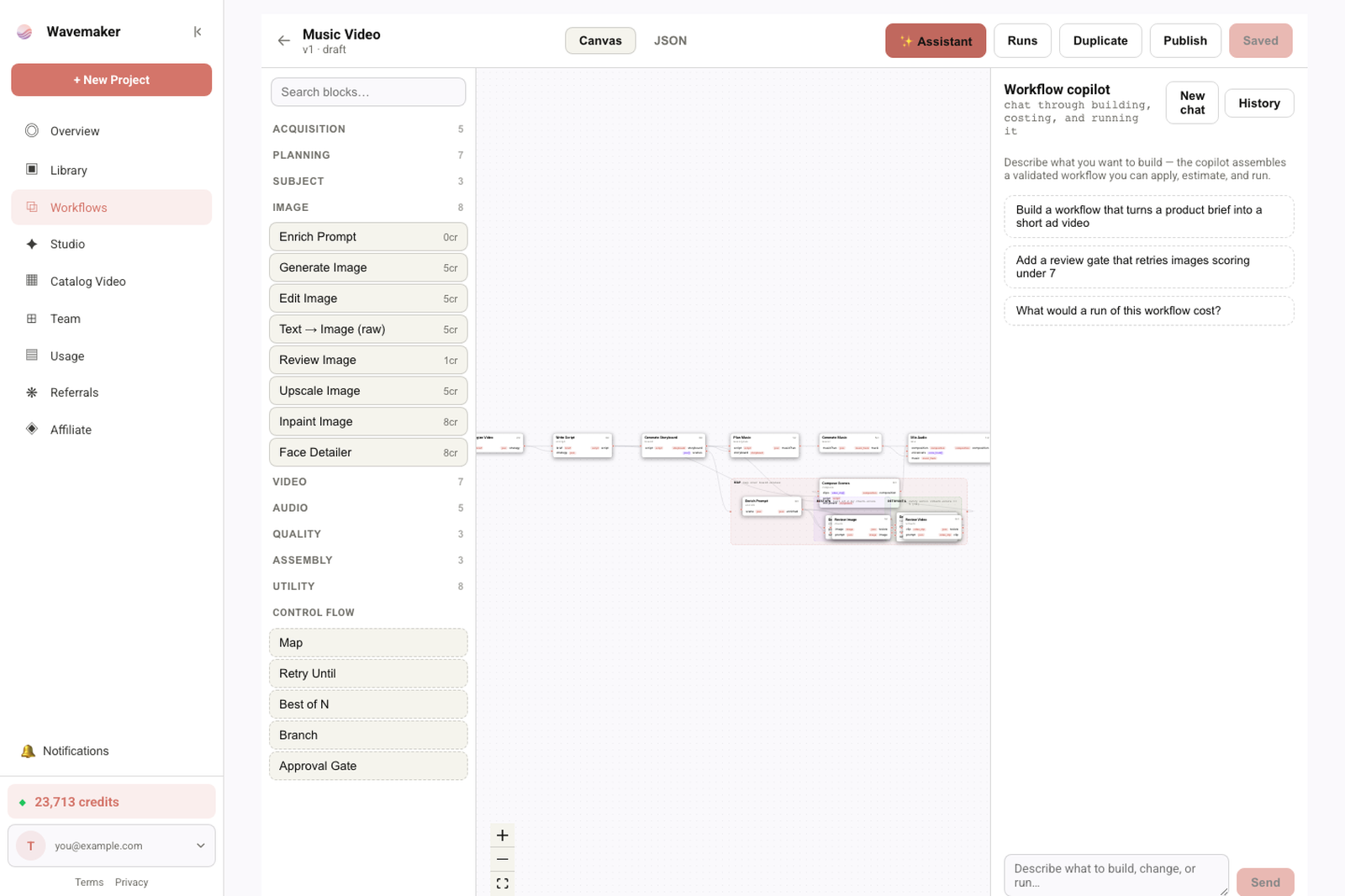
Workflow copilot — describe a pipeline and review the assembled graph.
Kill switch: workflowCastPacksEnabled (default ON) with workflow platform—503 when disabled.
Apply pack in the workflow editor
Open a workflow → deselect nodes so the spec panel shows graph defaults → Apply pack. Pure function applyCastPackToSpec merges pins into spec.bindings; save the workflow to persist.
Apply does not mutate Hub-published apps until you republish—treat apply as a draft accelerator, then review diffs.
API: /api/v1/cast-packs
Routes support list/create/patch/delete and POST …/:id/apply for automation. Org-scoped auth matches other kernel resources. Agents in builder MCP mode can bind packs after training webhooks fire—still require human epoch/consent gates where policy demands.
Cast packs vs subject references
Subject references excel when you have photographic anchors without training. LoRAs excel when trigger tokens must scale across dozens of gens. Cast packs excel when the same ensemble repeats across workflows ( episodic show, multi-ad family). September’s comparison post [subject refs vs LoRAs vs cast packs] will sit on the calendar—today, use cast packs when pins already exist.
Strength and evaluation after apply
Packs carry recommended weights, not guaranteed perfection. After apply:
- Run LoRA strength tuning on key scenes
- Promote winners via blind A/B before Hub publish
Hub and marketplace angles
Published workflows expose bindings to remixers; cast packs help internal teams more than public remixers— but creators selling multi-role templates can document which pack slug buyers should apply. Marketplace economics tie to Hub tour.
Ecommerce ensembles
Product + spokesperson roles combine product LoRAs with character LoRAs—cast packs prevent swapping SKU pins between campaigns.
Failure modes
| Mistake | Fix |
|---|---|
| Library-only SDXL pin in pack | Remove; train krea2 product LoRA |
| Stale version after retrain | Bump pin to new picked epoch |
| Voice without consent | Complete R-45a before pin |
| Never saved workflow after apply | Save spec |
Version bumps without breaking published apps
Published Hub apps pin asset versions at publish time. Updating a cast pack pin does not retroactively change live apps until authors republish—communicate version bumps to remixers in release notes.
Style packs vs cast packs naming
Cast / style packs share machinery; naming conventions help teams find packs (“BrandX_Summer2026_Cast”). Slugs must match server regex—use lowercase hyphenated slugs in API automation.
Testing apply on forked workflows
Fork before apply when experimenting—spec panel merges can overwrite bindings you meant to keep on golden templates. Diff review in editor history where available.
Role sheets for directors
Maintain a simple role sheet: character name → asset id → version → weight → voice pin. Cast packs encode the sheet into data; directors still need human-readable docs on set. When a role recasts, update the pack before applying to production graphs—avoid “fixed in the prompt only” drift.
Spec panel vs per-node overrides
Apply pack fills defaults in spec bindings; individual nodes may override. Audit overrides before publish—overrides are how lead actors silently revert to v1 while pack says v3.
Collaboration with external agencies
Agencies without org access can deliver trained assets you import, but cast packs remain org-local. Process: agency trains → you pick epoch → you import or receive trained asset pin → you build pack—never share API keys to dodge consent gates.
Field notes for multi-character production
Start from a role table: name, asset version, weight, voice pin, pack slug. Update table when evaluation promotes defaults—Apply pack reads pins, not your table, unless you sync them. Fork workflows before experimental apply. After apply, click Save—unsaved spec changes cause “pack broken” ghosts. For two-hander dialogue ads, separate character LoRAs; do not train both faces in one dataset. Ecommerce adds product LoRA third pin—see product LoRAs. When stakeholders ask consistency broadly, link /blog/consistent-characters-across-scenes/; cast packs are binding logistics. API users: test POST …/cast-packs/:id/apply on staging graphs; org scoping is strict. Revisit packs when /lora-training engine matrix updates runnable families.
Workshop scenarios
Sitcom three-hander — three character LoRAs trained, epoch picked each, one cast pack sitcom_core, apply to episode template before weekly shoot. Spokesperson + product — two pins + optional voice, weights documented in runbook. Agency delivers LoRA files — you import/train, you pick epoch, you own pack; no shared org keys. Apply pack forgot Save — classic failure mode; QA checklist includes save spec. Published app unchanged after pack update — expected until republish; comms to remixers.
Extended production checklist
Maintain role table synced with pack pins after every epoch pick or eval promote. Fork before experimental apply; save spec after apply. Slug API apply in staging before prod. Remove library-only pins from packs—they fail silently at bind. Document pack slugs in runbooks for weekly episodic workflows. Refresh packs when /lora-training runnable matrix changes. Product + talent ensembles need separate trained assets—see product LoRAs. For general consistency tactics, link /blog/consistent-characters-across-scenes/. Train ops owns epoch pick; cast ops owns pack refresh—handoff checklist prevents v1/v3 mixups.
Operator deep dive
Pack slugs should be human-memorable for directors (“sitcom-core”, not uuid soup). When remixers fork Hub apps, document which pack slug completes bindings—cast packs are org-local unless you republish instructions. API apply endpoints still require saved workflows—automate save verification in CI. Weight recommendations in packs are starting points; directors may override per episode with logged rationale. Multi-org agencies need separate packs per client—never cross-pin assets. When /lora-training adds runnable families, revisit packs to swap library-only pins for trained replacements.
Closing principles for cast operations
Cast packs encode who is pinned, not how to direct scenes—link directing consistency to /blog/consistent-characters-across-scenes/. Apply pack → save workflow is a mantra; unsaved specs cause ghost support tickets. Version bumps require pack updates the same day epoch picks or eval promotions land. Hub published apps do not auto-update pins—plan republish comms. API users validate org scoping on every apply call. Product + talent ensembles reference product LoRAs for SKU pins alongside character pins.
Name packs after shows or campaigns, not individual editor usernames—continuity survives team churn when slugs stay stable.
Directors should receive pack slug + role table PDFs before shoot weeks—Apply pack in editor is fast, but creative alignment still needs human-readable casting docs. When evaluation promotes new defaults, update packs before Monday batch slug-runs to avoid split-brain bindings. Remixers need explicit instructions: packs are org-local; forked Hub apps may not include your pack unless you document apply steps. Train finance on /lora-training separately from pack ops—packs do not train, they pin.
Treat pack slugs like infrastructure names: rename rarely, document always. When two packs differ only by weight, encode weights in pack metadata rather than duplicating pins without reason.
Add “apply pack + save spec” to QA scripts before every Hub publish—regression tests catch missing saves faster than user reports.
Cast packs scale ensemble shows; they do not replace /blog/consistent-characters-across-scenes/ for directing—link both in onboarding.
One saved spec after Apply pack prevents a week of “why is my lead on the wrong LoRA version?” tickets.
Where to go next
- Pillar: /lora-training
- Docs: Model assets § Cast packs
- Training loop: /blog/train-lora-online-no-gpu/
- Studio Library: /assets
Frequently asked questions
- What is a cast pack on Wavemaker?
- A cast pack is an org-scoped named bundle of up to 20 model asset version pins—optional recommended weights plus an optional voice pin—you can apply from a workflow's spec panel to fill default bindings at once.
- How are cast packs different from training a new LoRA?
- Training creates assets; cast packs organize existing runnable pins for reuse. They do not replace datasets, epoch picks, or consent for voice— they accelerate binding when you already trained or imported compatible weights.
- Do cast packs work with library-only Flux LoRAs?
- No. Only runnable assets on krea2, ltx, wan, hunyuan, or elevenlabs paths appear in picker gates. Flux/SDXL library imports stay catalog-only until engine mounts ship.
- Where do I manage cast packs?
- Library → Cast / style packs for CRUD, and the workflow editor spec panel (no node selected) → Apply pack. API routes exist under /api/v1/cast-packs when workflow platform flags are enabled.