Binding Voice Clones Into Workflows and Cast Packs
After Training Studio clones a voice, bind it to narration blocks, Cast packs, and Hub apps — without re-teaching the consent how-to or the clone recipe.

Once a voice clone exists in your library, the product question shifts from “can I train?” to “where does it stick?” This guide covers binding — workflows, Cast packs, promoted app inputs, and Hub distribution — and links out to the cloning walkthrough instead of repeating it.
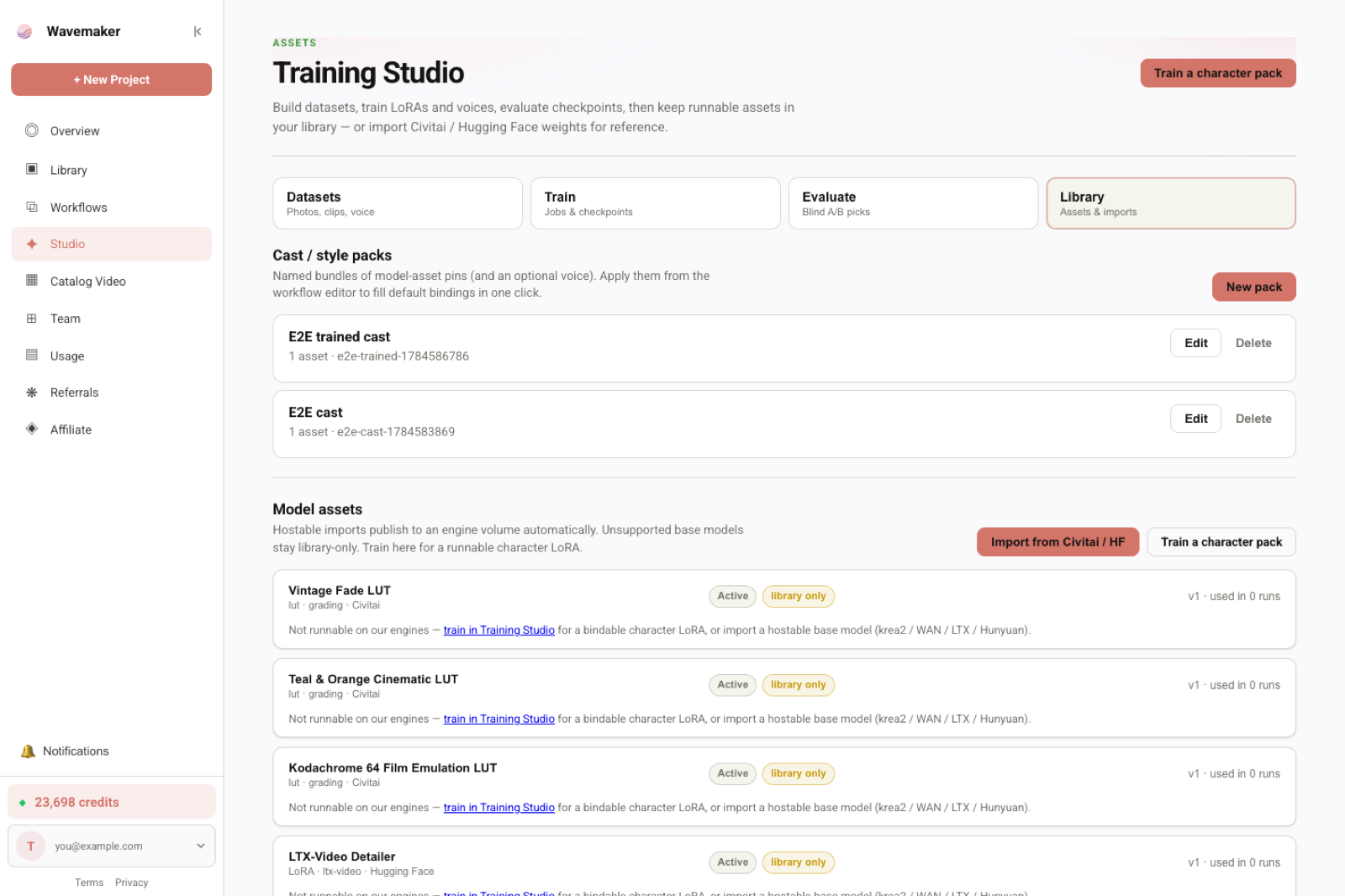
Assets library used when binding LoRAs and voices.
If you still need the train path, start with Clone a Narration Voice — With Consent Built In and the SEO landing at /lora-training. Below assumes a voice asset already passed consent and training.
Why binding is a separate job
Training Studio answers: samples → consent → job → voice asset. Production answers: which scenes speak with that voice, which packs carry it, which Hub apps expose it as a typed input. Mixing both topics in one article is how SEO cannibalization starts — and how readers miss the wiring steps that actually ship videos.
Voice clones land in the Library as versioned assets on the ElevenLabs narration path. Unlike image LoRAs, there is no epoch grid to pick — the job completes straight into a runnable asset. That makes binding the immediate next step: a trained voice nobody attached to a graph is just storage rent.
The version contract (read this before you bind)
Workflows pin asset versions, not floating “latest.” If you re-train a better clone later, published graphs keep speaking with the version they bound until you upgrade deliberately. That is the same contract as character LoRAs: improvement is intentional, not ambient.
When you bind:
- Explicit pin —
voiceAssetId@versionon the narration block or in a Cast pack item list. - Default resolution — some pickers resolve “use library default” at bind time; after you save, the pin is explicit on the spec.
Re-binding after a new training job is a one-line editor change (or a Cast pack edit), not a silent behavior change for customers already running your Hub app.
Bind on a narration block
- Open a workflow that has a voiceover / narration step (or add one from the block catalog).
- Choose your voice asset from the library picker (runnable ElevenLabs-path voices only).
- Set per-scene overrides if the graph supports character-attributed lines — off-screen narration can adopt an on-screen character’s designed voice when the graph wires attribution.
- Quote a run — the estimate includes narration cost for the bound voice path. Training credits are sunk; generation is not free just because you already cloned.
Typed ports refuse invalid wiring: you cannot attach an image LoRA where a voice is required. That is the same compile-gate philosophy as the rest of the workflow builder. If compile fails, read the port type on the narration block — voice assets and image assets are different capability kinds.
Multi-scene graphs
Long-form explainers often mix on-screen dialogue (baked on video clips) with off-screen narration (ElevenLabs). Voice clone binding applies to narration blocks, not to provider-baked dialogue on video steps. If a scene is clip-first with native dialogue, do not expect the clone to replace baked speech — bind VO where the graph actually calls generate_voiceover or equivalent narration rails.
For hybrid graphs, document which scenes use which path in your runbook so producers do not “fix” audio by rebinding the wrong block.
Cast packs: voice + faces in one Apply
Cast packs pin up to 20 assets (characters, styles, voices). Apply the pack in the editor so multi-character shoots keep the same voice map as the face LoRAs. See Cast packs for multi-character shoots for pack authoring; here the rule is simple: include the voice in the pack if every remix should speak with it.
Pack shape from the product model:
- Up to 20
assetId@versionpins with optional recommended weights (image/video LoRAs). - Optional voice pin — one narration clone with consent on file.
- Apply pack merges pins onto
spec.bindingsin the editor; nothing persists until you save the workflow.
slotHint on a pin can target a specific binding slot when your graph names roles (lead, product, narrator). Unmappable pins are reported, not silently dropped — fix compatibility (runnable base model) before you ship.
When you update the voice clone (new training job → new version), update the Cast pack in the same change ticket as the workflow pins. Drift between Library defaults and pack contents is how “it worked in Studio, failed on Hub” bugs start.
Promote the voice as an app input
When you publish /w/{slug}, promote the voice parameter to an app input if runners should swap voices without opening the graph. JSON Schema on /workflow-api then exposes the choice to REST and MCP wf_<slug> tools. Keep a default pinned for one-click Hub runs — customers expect the brand narrator out of the box.
Promotion turns an internal block param into a public input with validation:
- Enum of allowed voice assets (your org library) or a single pinned default with optional override.
- Compile still runs before execute — invalid voice IDs fail at submit, not mid-run.
If you only ever want one narrator, skip promotion and hard-bind on the block. Promotion is for templates, agencies, and white-label apps where the runner picks among approved voices.
Hub and remix caveats
- Open remixed workflows that inherit your voice still need the asset to be accessible under Hub rules.
- Premium graphs can hide structure while still accepting a voice input enum you define.
- Do not publish a voice without the consent record the Hub expects — publish will fail closed (same record that blocked training without consent).
- Delisted Hub assets retain run-time resolution for workflows that already bound them; new draft saves cannot introduce delisted pins. Plan voice upgrades before delisting an old version customers still reference.
Eval-before-publish nudges apply more to image LoRAs than voice, but Hub listing still expects provenance. Voice consent is the hard gate; treat publish as a second consent checkpoint, not paperwork.
Slug runs, CI, and metadata
Teams automating /api/v1/hub/.../run should pass voice inputs in the same JSON body as other promoted params. Log voice_asset_id and version in your job metadata — debugging “wrong narrator on Tuesday” requires knowing which binding the slug-run resolved.
Idempotency keys do not freeze voice choice; they freeze request identity. Two runs with the same key and different voice inputs are different intents — do not reuse keys across A/B narrator tests.
MCP and agents
Agents should not invent a new clone every session. Prefer:
search/ library tools for existing voices- Bind via
draft_workflowor edit tools estimate_workflow/run_hub_workflowwith the voice input set
Connect details stay on the MCP connect guide; product overview on /mcp. In builder mode (?tools=builder), voice binding is a graph edit — agents need the asset id from Library, not a fresh training job.
Troubleshooting binding failures
| Symptom | Likely cause | Fix |
|---|---|---|
| Picker empty | Asset not on elevenlabs runnable path or job still running | Wait for train complete; confirm asset kind |
| Compile error on voice port | Image asset wired to narration | Re-pick from voice-capable library |
| Hub run uses default TTS | Voice input not promoted or not passed in API body | Promote param + set default; fix client payload |
| Pack apply skips voice | Voice not in pack or slot mismatch | Edit pack; check slot hints |
| Publish blocked | Consent record missing or revoked | Fix consent on dataset/asset per cloning guide |
Checklist before you ship a talking product
- Consent completed (voice cloning with consent).
- Voice bound on every speaking path that uses narration blocks (this guide).
- Cast pack updated if multi-character or multi-campaign reuse.
- App input promoted if customers swap voices on Hub.
- Estimate reviewed — narration is not free just because training already ran.
- Slug-run smoke test with the same payload your CI will use.
Related
- Voice cloning with consent — owns dataset, consent, and train
- LoRA training landing — pricing, engines, and Training Studio entry
- Cast packs for multi-character shoots
- Workflow API
- Training Studio product
Frequently asked questions
- Where do I bind a trained voice after cloning?
- In the workflow editor, attach the voice asset to narration / voiceover blocks. Or add it to a Cast pack so character LoRAs and the voice apply together on run.
- Does binding cost credits?
- Binding and authoring are free. You pay when a run generates audio with that voice — standard narration billing.
- How is this different from the voice cloning guide?
- The cloning guide owns consent + dataset + train. This post owns post-train wiring: workflow params, cast packs, Hub apps, and MCP/API input promotion.
- Can Hub runners use my voice?
- Only if you publish the asset and your workflow allows it under Hub rules. Consent gates still apply at publish time.