Dynamic MCP Tools for Published Workflows (wf_<slug>)
How Wavemaker registers up to 40 wf_<slug> tools at MCP connect time from your published and favorited Hub workflows — schemas, caps, and fallbacks.

Your Hub favorites become your agent’s toolbox. When Cursor or Claude connects to Wavemaker MCP, the server registers dynamic tools named wf_<slug> — one per published org workflow plus each favorited listing — with parameters copied from the same JSON Schema REST integrators fetch from /workflow-api. This post explains registration, limits, and fallbacks; connection OAuth lives in Connect Wavemaker with MCP.
Why dynamic tools exist
Static MCP catalogs excel at stable primitives (generate_image, compile_workflow). Product integrations excel at named pipelines (“product teaser”, “UGC ad pack”, “thumbnail batch”). Hard-coding hundreds of slugs into the server would stale instantly.
Instead, at connect time the server:
- Lists eligible slugs (published + favorites).
- Sorts by recency / priority policy.
- Registers up to 40
wf_<slug>tools with full input schemas. - Always exposes
run_hub_workflowfor arbitrary slugs beyond the cap.
Agents then call wf_product_teaser({ product_url: "…" }) without prompt-stuffing HTTP paths.
Tool schema parity with REST
| Surface | Contract source |
|---|---|
GET /api/v1/w/{slug} | input_schema |
POST /api/v1/w/{slug}/runs | same inputs object |
MCP wf_<slug> | JSON Schema tool parameters |
MCP run_hub_workflow | slug + inputs + run options |
Validation, estimates, and credit holds match. Idempotency: pass idempotency_key on tool calls (Idempotency and webhooks). Details on schema promotion: JSON Schema typed workflow inputs.
Builder vs full mode
Append ?tools=builder to the MCP URL for the workflow-focused catalog (~35 kernel tools + dynamic wf_). Full mode adds managed video tools — larger surface, same dynamic registration.
Product overview: /mcp. Quickstart: Agent-driven workflows MCP builder. September deep dive: MCP builder mode deep dive.
The 40-tool cap in practice
If you favorite forty-one Hub workflows, the forty-first won’t get a dedicated wf_ name until you unfavorite or deprioritize. run_hub_workflow remains unlimited — agents pass slug explicitly.
Tips:
- Favorite production integrations only; use Hub search for experiments.
- Publish internal slugs with stable names your prompts reference.
- Reconnect MCP after favoriting so tools refresh.
Premium and Open workflows
- Open: forkable; tool runs attribute royalties on foreign usage.
- Premium: per-run creator pricing; tool schema exposes inputs, not graph secrets.
Estimates via estimate_workflow before expensive fan-out.
Failure modes agents should handle
| Symptom | Agent action |
|---|---|
| Tool missing after favorite | Reconnect MCP session |
| Validation 400 | Read JSON Pointer; fix inputs; retry estimate |
| 429 daily cap | Backoff; surface to user |
| awaiting_approval webhook | Call approval API or prompt human |
Naming conventions for agents
Slugs become tool names by replacing hyphens with underscores: slug product-teaser → wf_product_teaser. Agents should not guess — list tools after connect. Unicode slugs are rare; stick to ASCII slugs for MCP compatibility.
Session refresh and tool list drift
OAuth sessions expire; long IDE sessions may reconnect midday. After reconnect, tool list may change when colleagues publish workflows or you favorite new Hub entries. Agents caching tool names in system prompts should refresh on tools/list after auth errors.
runhub_workflow vs wf
| Call style | When |
|---|---|
wf_product_teaser({...}) | Stable production slug in agent prompt |
run_hub_workflow("experimental-slug", {...}) | Overflow beyond 40 cap, A/B slugs, or search results |
Both hit identical backend submit paths. Prefer dedicated tools for token efficiency — shorter tool names reduce LLM completion cost at scale.
Premium workflows and agent disclosure
Agents must read estimate output and disclose creator premium before run — especially for foreign Open workflows where royalty lines apply. estimate_workflow is free; skipping it is a product trust bug, not a billing bug.
Testing dynamic tools locally
- Publish minimal two-block workflow in dev org.
- Connect MCP with builder query in Cursor.
- Confirm
wf_your_slugappears in tools list. - Call with idempotency key; verify
get_runprogress matches Hub UI.
REST-only integrators
You do not need MCP — dynamic tools are a view over slug runs (Workflows as API endpoints). Choose MCP when the operator works in IDE chat; choose REST for cron and CI (Slug-run from CI).
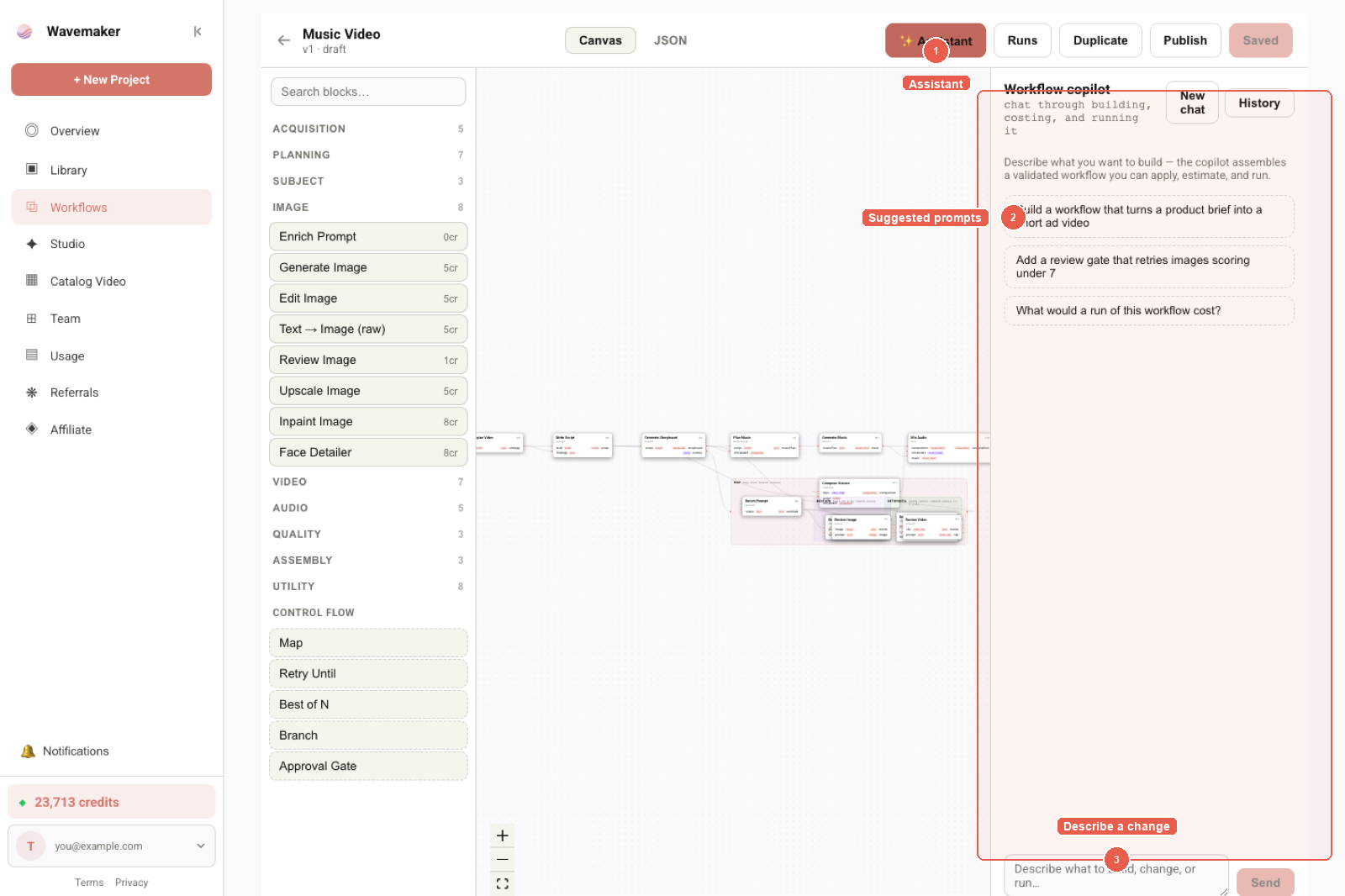
Workflow copilot — describe a pipeline and review the assembled graph.
Hub grid and MCP reconnect
Favoriting from Hub grid does not instantly add tools — MCP session lists tools at connect. Document this for users: “Favorite, then reconnect Wavemaker in Cursor settings.” Tour: Tour of the Workflow Hub.
Full mode accidental calls
Agents with both servers configured may call generate_video when user asked for a published slug — system prompt should prefer wf_* for named products. Builder-only server reduces mistaken managed-video spend.
Sample agent system prompt excerpt
When configuring Cursor rules or Claude project instructions, include:
- “For Hub product slugs listed in TOOLS.md, call
wf_<slug>orrun_hub_workflow— nevergenerate_videofor the same intent.” - “Always
estimate_workflowbefore first production run of the day.” - “Pass
idempotency_keyderived from user request id.”
Reconnect MCP after Hub favorites change. Cap at 40 tools — maintain TOOLS.md slug list for overflow run_hub_workflow calls.
Monitoring dynamic tool usage in production
Track metrics: wf_* invocations per slug, run_hub_workflow overflow rate, estimate-to-run conversion, idempotent replay ratio. Spikes in overflow suggest favoriting more than forty production slugs or needing REST batch jobs instead of MCP fan-out. Drops in estimate-before-run suggest agent prompt drift — retrain internal docs to call estimate_workflow first.
Slug naming for MCP ergonomics
Short ASCII slugs fit tool names and agent prompts: ugc-ad beats ugc_ad_v2_final. Hyphens become underscores in wf_ugc_ad. When renaming slugs, agents lose tool mapping until reconnect — coordinate slug changes with integrator comms and CI fixture updates (JSON Schema typed inputs).
Security: untrusted Hub workflows as tools
Favoriting executes third-party graphs when runs submit — treat Hub favorites like installing dependencies. Review Open workflow lineage, creator showcase, and estimate cost before adding to agent toolbox. Premium workflows hide graphs but still execute media operations with your org credentials. Moderation reduces prohibited content risk; it does not replace your vendor review for brand-safe UGC pipelines.
Dynamic wf_<slug> tools are the agent-native face of the same contract REST integrators call on /workflow-api. When you outgrow the forty-tool cap, split favorites across team members’ MCP sessions or move batch work to cron with slug runs — MCP excels at interactive ops, REST excels at throughput. Estimate before either path; idempotency on both.
Co-evolution with Hub favorites UX
The Hub star button is not cosmetic — it is how MCP learns your toolbox. Train internal users: favorite before asking Cursor to run a slug. Unfavorite to remove tools without unpublishing. Published org workflows appear automatically without starring — prioritize favorites for cross-org Open listings you run often but do not own.
Document your forty favorites in team wiki — when cap fills, rotate least-used stars instead of silently losing MCP tools mid-sprint.
For codegen-heavy teams, generate a static TOOLS.md from GET /w/{slug} on boot — not from memory — when dynamic registration exceeds twenty slugs so agent prompts stay aligned with JSON Schema required fields.
Overflow slugs remain one run_hub_workflow call away — cap pressure is a feature, not a missing capability.
Where to go next
- Tour of the Workflow Hub — favorites → tools
- Run hub workflows from chat
- OpenAPI route map: OpenAPI for generative media
- AI agents that build pipelines
Frequently asked questions
- What is a wf_<slug> MCP tool?
- A dynamically registered tool whose name is wf_ plus the workflow slug (e.g. wf_product_teaser). Its JSON Schema parameters match GET /api/v1/w/{slug} input_schema — calling it submits a kernel run like POST /w/{slug}/runs.
- Which workflows become tools?
- Workflows your org published to the Hub, plus Hub workflows you favorited. Registration happens at MCP session connect in builder or full mode.
- What is the 40-tool cap?
- At most 40 dynamic wf_ tools are exposed per connection to keep client context manageable. Use run_hub_workflow(slug, …) for any other slug.
- Do wf_ tools support idempotency and webhooks?
- Yes — parameters mirror REST: idempotency_key, metadata, webhook_url, webhook_secret, version.